Back to blog
This post is on the way.
Reading
post
The piece is being set. The cover and the first lines land here.
Back to blog
Reading
The piece is being set. The cover and the first lines land here.
Back to blog
Reading
The piece is being set. The cover and the first lines land here.
Back to blog
Reading
The piece is being set. The cover and the first lines land here.
30 Oct 2026 · Luffy · heroku alternatives · dflow · selfhosting
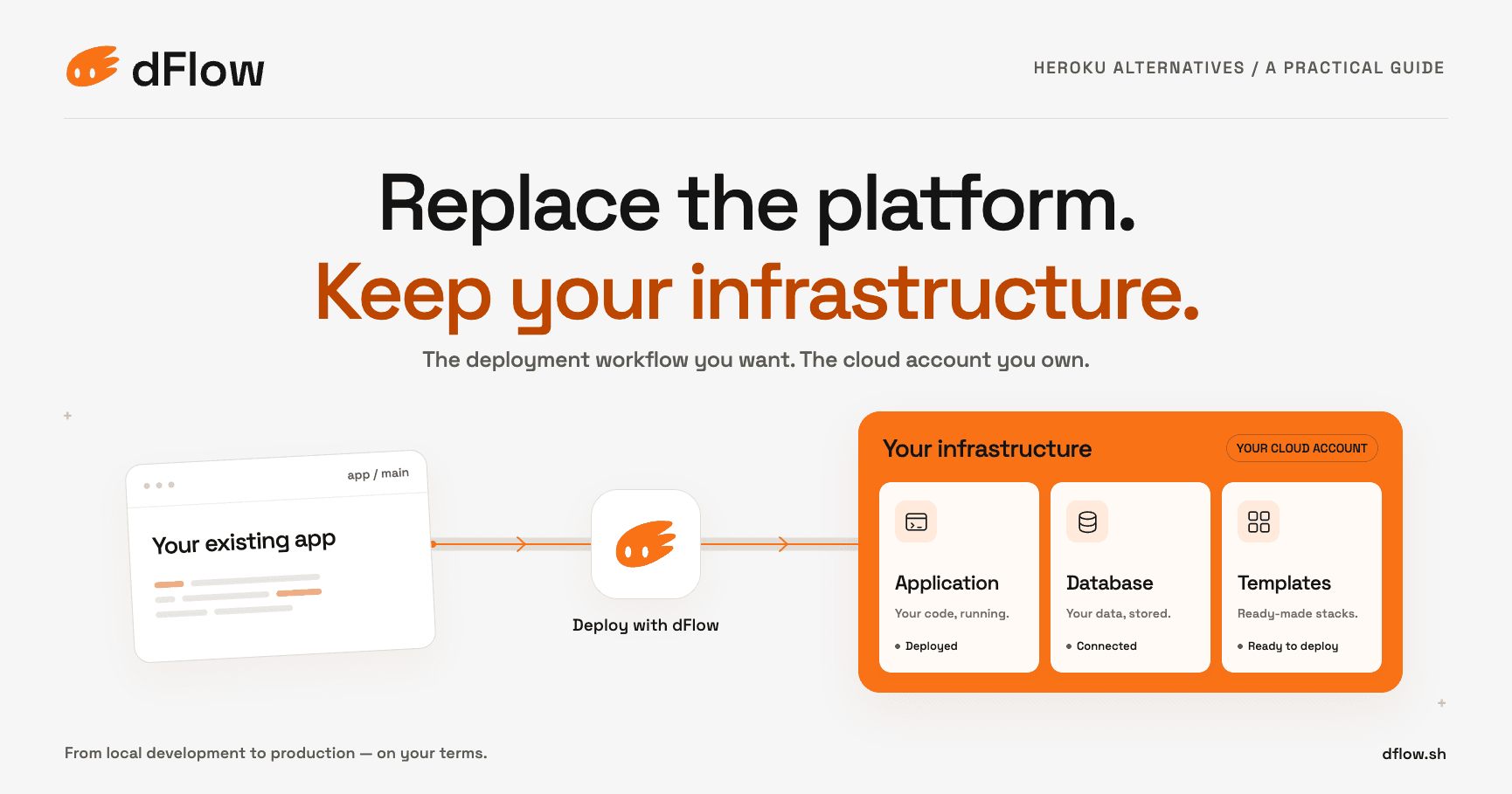
Your app already runs on your laptop. Heroku gave you a convenient way to put it online. Now you want that convenience with the servers in a cloud account you control.
That changes how you should choose a Heroku alternative. A familiar deploy button is useful, but it does not tell you who owns the infrastructure account, where your database lives, or who restores it when something breaks.
If you want Heroku’s workflow on servers in your own account, dFlow is built for that. Here’s how it compares with Dokku, Coolify and Dokploy.
In 2026, a Heroku-like experience should cover more than the first deploy. Evaluate three parts of the workflow:
Write down the features your existing app uses before comparing platforms. A stateless API and an application with scheduled jobs, background workers, and multiple add-ons have different migration needs.
Preserve the useful workflow. Do not assume every Heroku feature has an identical replacement.
There are two separate decisions: who operates the deployment platform and whose account contains the machines.
With conventional managed application hosting, the provider supplies the runtime. With a self-hosted PaaS, you install deployment software on infrastructure you operate. A third model uses a hosted control plane—the dashboard and API—to manage workloads on servers in your account.
This distinction matters. “Cloud” in a product name does not necessarily mean your application runs in the vendor’s account. For example, Coolify offers a managed control plane while customers continue to provide their workload servers. Its documentation explicitly separates those responsibilities. Coolify deployment options.
Option | Documented deployment approach | Consider it when | Responsibility to examine |
|---|---|---|---|
dFlow with your worker nodes | Platform control plane with compute attached to an environment | You want a shared workflow for developers and AI agents using your existing cloud | Node access, capacity, maintenance, and recovery responsibilities |
Dokku | Git-based application deployment on your server | You want a direct, CLI-oriented deployment workflow | Server maintenance, service plugins, backups, and recovery |
Coolify | Self-hosted or hosted control plane with your servers | You want a dashboard and a choice of who maintains it |
These are practical selection criteria, not a performance ranking. The documented foundations are Dokku application deployment, Dokploy’s platform overview, Dokploy Compose support, and dFlow worker nodes.
dFlow’s control plane coordinates deployments; services run on worker nodes attached to application environments. You can keep compute in your own cloud account and manage releases from one place. See the worker-node model.
For Heroku users, the familiar pieces are concrete:
These deployment capabilities are listed in dFlow’s features. For GitHub, the setup guide distinguishes the GitHub App integration from manual repository connections; a manual connection alone does not enable automatic deployment. See deploying your first app.
dFlow provides database management for six engines: PostgreSQL, MongoDB, MySQL, MariaDB, Redis, and ClickHouse. These run as database services on your infrastructure. See dFlow database hosting. Backups on attached nodes cover the first five; ClickHouse backups are not available yet, and managed dFlow compute does not run database backups. Check these backup limitations when choosing placement.
Use this as a migration map, not a promise of identical features or automatic conversion.
Heroku concept | dFlow destination | What to verify during migration |
|---|---|---|
Dyno running an application process | Service running on a worker node | Start commands, process types, resource limits, and scaling |
Heroku Postgres add-on | dFlow PostgreSQL database service | PostgreSQL version, extensions, connections, data transfer, and restore testing |
Config vars | Service environment variables | Secrets, connection strings, and separate values for each environment |
Pipelines and staging/production apps | Application environments | Deployment order and promotion process; environments alone do not reproduce every pipeline feature |
The destination concepts follow dFlow’s service setup and environment model. Map every add-on separately: email, object storage, monitoring, and other integrations may remain external services.
Dokku is worth evaluating if you like pushing code and working at the command line. Its deployment documentation walks through creating an application, configuring a backing service, and deploying from Git.
The decision is whether your team also wants to operate the surrounding system. Test upgrades, recovery, and resource limits alongside the happy-path deployment. A small setup is only simple if someone understands how to maintain it.
Coolify gives you a clear choice between running its instance yourself and using its hosted service. In both cases, you still provide the workload servers. Hosting the control plane removes one maintenance responsibility; it does not transfer every responsibility for your applications, secrets, and operating system. Coolify responsibility split.
Dokploy is a useful candidate for teams already describing services with Docker Compose. Its documentation distinguishes Compose from Docker Stack and explains storage configuration. Test your actual configuration, especially volumes and environment variables, before assuming that a local Compose project is production-ready. Dokploy Docker Compose guide.
Moving to your own cloud account changes the shape of the bill. It does not guarantee a lower total.
With dFlow, the platform plan is a separate charge from infrastructure in your cloud account. If you rent compute from dFlow, that compute is added to your dFlow bill. Check dFlow pricing for the current plans and compute options.
Cost category | What to include |
|---|---|
Infrastructure | Compute, disks, database services, object storage, networking, and backups |
Deployment platform | Applicable subscription, support, or managed control-plane charges |
Other services | Monitoring, email, external APIs, and other dependencies |
Operations | Time spent on updates, incidents, security, and restore exercises |
Compare equivalent workloads with equivalent reliability requirements. One server with no tested backup is not an equivalent replacement for a system with recovery procedures and managed services.
Cloud credits may offset eligible infrastructure charges. They do not automatically cover a separate platform subscription or your team’s time. Build a second estimate for when the credits expire.
If your reference point is an old free-tier project, update the requirements before updating the budget. Production storage, monitoring, recovery, and human availability belong in the comparison even when they do not appear on the hosting invoice.
List web processes, workers, scheduled jobs, release commands, add-ons, configuration variables, domains, and outbound integrations. Heroku’s Procfile defines application process types; use it as one input to your inventory. Heroku process configuration.
Record the owner and replacement plan for each dependency. Do not migrate your database merely because you are migrating your application runtime.
Pin runtime versions and identify system packages or buildpack behavior the app relies on. Run the production start command in a test environment. Verify port binding, health checks, shutdown behavior, and background-job execution.
Map configuration variables into the destination’s secret and environment settings. Check callback URLs, allowed origins, database connection limits, and third-party allowlists. Keep credentials out of the repository and migration notes.
Choose a transfer method appropriate to the database engine and acceptable downtime. Rehearse the transfer, measure its duration, and verify the restored data.
Heroku dyno filesystems are ephemeral. Moving to a server you own does not make a container filesystem a safe place for durable uploads. Explicitly choose persistent storage and test recovery. Heroku filesystem behavior.
Use a staging hostname. Exercise login, uploads, email, webhooks, background jobs, and failure paths. Configure alerts and verify that the person responsible can see logs and access recovery tools.
Define when writes stop or how they synchronize, how you switch traffic, and what triggers rollback. DNS changes can take time to propagate. An application rollback also cannot safely undo every database schema change or reconcile writes made after cutover.
Keep the old environment available for an agreed observation period. Retire it only after checking traffic, jobs, data, and billing.
An open source PaaS can give you useful control. It cannot remove the need for someone to own patching, capacity, backups, and incidents.
Choose self-hosting when that responsibility fits your team. Choose more managed operation when the time it saves is worth the cost. If your priority is the cloud account you already use, verify workload placement separately from who runs the dashboard.
You do not need to move every Heroku application to learn whether the new workflow fits.
Pick a small service, reproduce its configuration, and deploy it to a test environment on your chosen infrastructure. Check the logs, ship an update, and rehearse a recovery step before moving production traffic.
For dFlow, start by connecting a worker node, creating an application, and deploying a service from Git or a container image. Follow the dFlow quick start for the current setup steps.
30 Oct 2026 · Luffy · heroku alternatives · dflow · selfhosting
Your app already runs on your laptop. Heroku gave you a convenient way to put it online. Now you want that convenience with the servers in a cloud account you control.
That changes how you should choose a Heroku alternative. A familiar deploy button is useful, but it does not tell you who owns the infrastructure account, where your database lives, or who restores it when something breaks.
If you want Heroku’s workflow on servers in your own account, dFlow is built for that. Here’s how it compares with Dokku, Coolify and Dokploy.
In 2026, a Heroku-like experience should cover more than the first deploy. Evaluate three parts of the workflow:
Write down the features your existing app uses before comparing platforms. A stateless API and an application with scheduled jobs, background workers, and multiple add-ons have different migration needs.
Preserve the useful workflow. Do not assume every Heroku feature has an identical replacement.
There are two separate decisions: who operates the deployment platform and whose account contains the machines.
With conventional managed application hosting, the provider supplies the runtime. With a self-hosted PaaS, you install deployment software on infrastructure you operate. A third model uses a hosted control plane—the dashboard and API—to manage workloads on servers in your account.
This distinction matters. “Cloud” in a product name does not necessarily mean your application runs in the vendor’s account. For example, Coolify offers a managed control plane while customers continue to provide their workload servers. Its documentation explicitly separates those responsibilities. Coolify deployment options.
Option | Documented deployment approach | Consider it when | Responsibility to examine |
|---|---|---|---|
dFlow with your worker nodes | Platform control plane with compute attached to an environment | You want a shared workflow for developers and AI agents using your existing cloud | Node access, capacity, maintenance, and recovery responsibilities |
Dokku | Git-based application deployment on your server | You want a direct, CLI-oriented deployment workflow | Server maintenance, service plugins, backups, and recovery |
Coolify | Self-hosted or hosted control plane with your servers | You want a dashboard and a choice of who maintains it |
These are practical selection criteria, not a performance ranking. The documented foundations are Dokku application deployment, Dokploy’s platform overview, Dokploy Compose support, and dFlow worker nodes.
dFlow’s control plane coordinates deployments; services run on worker nodes attached to application environments. You can keep compute in your own cloud account and manage releases from one place. See the worker-node model.
For Heroku users, the familiar pieces are concrete:
These deployment capabilities are listed in dFlow’s features. For GitHub, the setup guide distinguishes the GitHub App integration from manual repository connections; a manual connection alone does not enable automatic deployment. See deploying your first app.
dFlow provides database management for six engines: PostgreSQL, MongoDB, MySQL, MariaDB, Redis, and ClickHouse. These run as database services on your infrastructure. See dFlow database hosting. Backups on attached nodes cover the first five; ClickHouse backups are not available yet, and managed dFlow compute does not run database backups. Check these backup limitations when choosing placement.
Use this as a migration map, not a promise of identical features or automatic conversion.
Heroku concept | dFlow destination | What to verify during migration |
|---|---|---|
Dyno running an application process | Service running on a worker node | Start commands, process types, resource limits, and scaling |
Heroku Postgres add-on | dFlow PostgreSQL database service | PostgreSQL version, extensions, connections, data transfer, and restore testing |
Config vars | Service environment variables | Secrets, connection strings, and separate values for each environment |
Pipelines and staging/production apps | Application environments | Deployment order and promotion process; environments alone do not reproduce every pipeline feature |
The destination concepts follow dFlow’s service setup and environment model. Map every add-on separately: email, object storage, monitoring, and other integrations may remain external services.
Dokku is worth evaluating if you like pushing code and working at the command line. Its deployment documentation walks through creating an application, configuring a backing service, and deploying from Git.
The decision is whether your team also wants to operate the surrounding system. Test upgrades, recovery, and resource limits alongside the happy-path deployment. A small setup is only simple if someone understands how to maintain it.
Coolify gives you a clear choice between running its instance yourself and using its hosted service. In both cases, you still provide the workload servers. Hosting the control plane removes one maintenance responsibility; it does not transfer every responsibility for your applications, secrets, and operating system. Coolify responsibility split.
Dokploy is a useful candidate for teams already describing services with Docker Compose. Its documentation distinguishes Compose from Docker Stack and explains storage configuration. Test your actual configuration, especially volumes and environment variables, before assuming that a local Compose project is production-ready. Dokploy Docker Compose guide.
Moving to your own cloud account changes the shape of the bill. It does not guarantee a lower total.
With dFlow, the platform plan is a separate charge from infrastructure in your cloud account. If you rent compute from dFlow, that compute is added to your dFlow bill. Check dFlow pricing for the current plans and compute options.
Cost category | What to include |
|---|---|
Infrastructure | Compute, disks, database services, object storage, networking, and backups |
Deployment platform | Applicable subscription, support, or managed control-plane charges |
Other services | Monitoring, email, external APIs, and other dependencies |
Operations | Time spent on updates, incidents, security, and restore exercises |
Compare equivalent workloads with equivalent reliability requirements. One server with no tested backup is not an equivalent replacement for a system with recovery procedures and managed services.
Cloud credits may offset eligible infrastructure charges. They do not automatically cover a separate platform subscription or your team’s time. Build a second estimate for when the credits expire.
If your reference point is an old free-tier project, update the requirements before updating the budget. Production storage, monitoring, recovery, and human availability belong in the comparison even when they do not appear on the hosting invoice.
List web processes, workers, scheduled jobs, release commands, add-ons, configuration variables, domains, and outbound integrations. Heroku’s Procfile defines application process types; use it as one input to your inventory. Heroku process configuration.
Record the owner and replacement plan for each dependency. Do not migrate your database merely because you are migrating your application runtime.
Pin runtime versions and identify system packages or buildpack behavior the app relies on. Run the production start command in a test environment. Verify port binding, health checks, shutdown behavior, and background-job execution.
Map configuration variables into the destination’s secret and environment settings. Check callback URLs, allowed origins, database connection limits, and third-party allowlists. Keep credentials out of the repository and migration notes.
Choose a transfer method appropriate to the database engine and acceptable downtime. Rehearse the transfer, measure its duration, and verify the restored data.
Heroku dyno filesystems are ephemeral. Moving to a server you own does not make a container filesystem a safe place for durable uploads. Explicitly choose persistent storage and test recovery. Heroku filesystem behavior.
Use a staging hostname. Exercise login, uploads, email, webhooks, background jobs, and failure paths. Configure alerts and verify that the person responsible can see logs and access recovery tools.
Define when writes stop or how they synchronize, how you switch traffic, and what triggers rollback. DNS changes can take time to propagate. An application rollback also cannot safely undo every database schema change or reconcile writes made after cutover.
Keep the old environment available for an agreed observation period. Retire it only after checking traffic, jobs, data, and billing.
An open source PaaS can give you useful control. It cannot remove the need for someone to own patching, capacity, backups, and incidents.
Choose self-hosting when that responsibility fits your team. Choose more managed operation when the time it saves is worth the cost. If your priority is the cloud account you already use, verify workload placement separately from who runs the dashboard.
You do not need to move every Heroku application to learn whether the new workflow fits.
Pick a small service, reproduce its configuration, and deploy it to a test environment on your chosen infrastructure. Check the logs, ship an update, and rehearse a recovery step before moving production traffic.
For dFlow, start by connecting a worker node, creating an application, and deploying a service from Git or a container image. Follow the dFlow quick start for the current setup steps.
Workload and host security remain customer responsibilities
Dokploy | Self-hostable platform with application and Docker Compose workflows | Your project already uses containers or Compose | Persistent storage, backups, and differences between Compose and Swarm |
Workload and host security remain customer responsibilities
Dokploy | Self-hostable platform with application and Docker Compose workflows | Your project already uses containers or Compose | Persistent storage, backups, and differences between Compose and Swarm |